Main screen turn on
Working through the Baking Pi tutorials, I completed the first graphics tutorial.
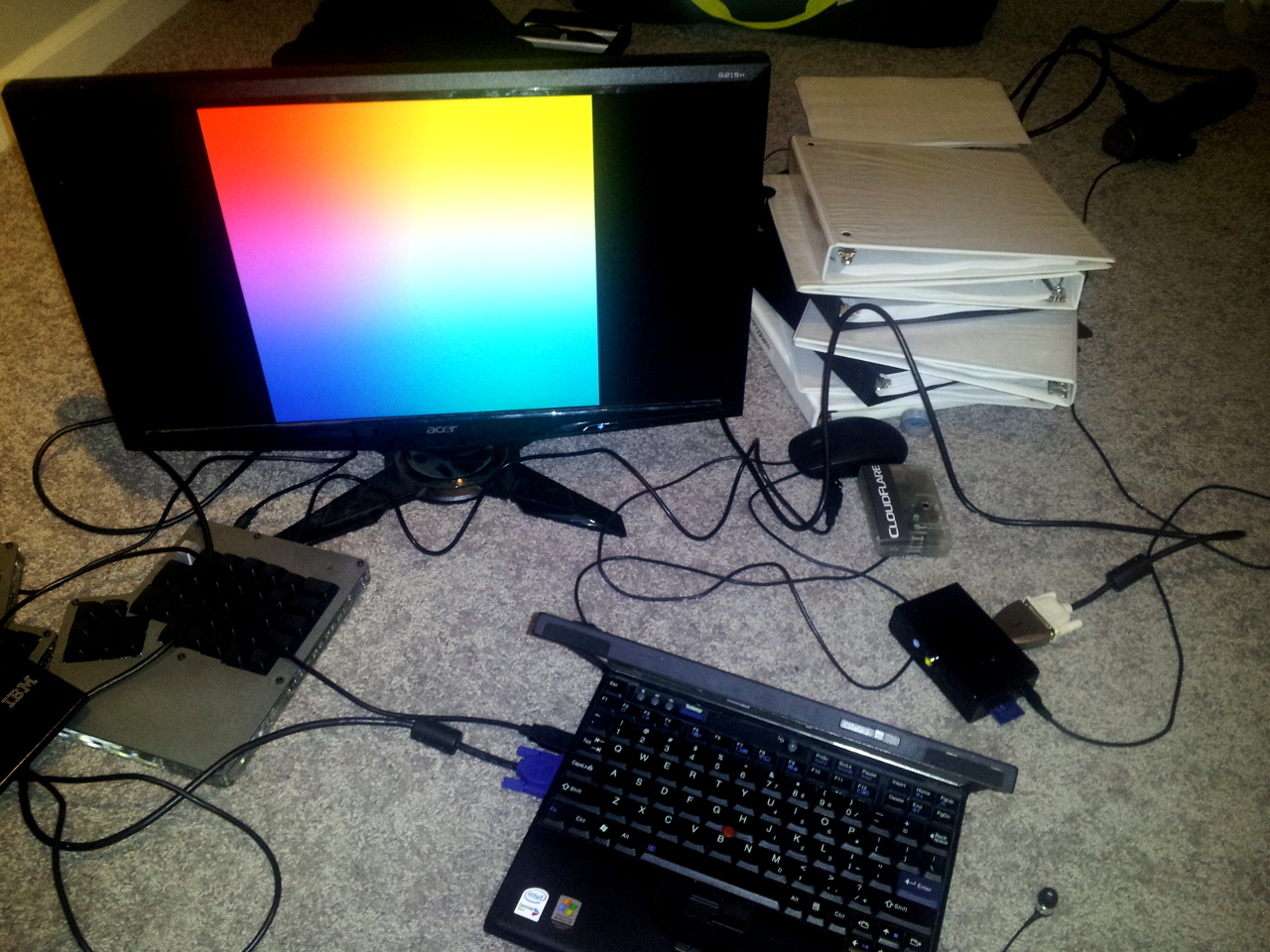
I got my copy of CrossWorks for ARM activated last night, so I wrote it using that (but still using a Makefile to build it). I'm trying to build fluency in the editor, but there's a few nits I have with its editor. Namely, it likes to use spaces instead of tabs. In CrossWorks, by default my code would look like
.globl SetGpioFunction
SetGpioFunction:
  cmp   r0, #53
  cmpls r1, #7

  movhi pc, lr

   push {lr}

   mov  r2, r0
   bl   GetGpioAddress

functionLoop$:
   cmp    r2, #9
   subhi  r2, #10
   addhi  r0, #4
   bhi    functionLoop$

  add     r2, r2,lsl #1
  lsl     r1, r2
  str     r1, [r0]

  pop     {pc}
However, I format with tabs between each column (so they all line up):
.globl SetGPIOFunction
SetGPIOFunction:
    cmp r0, #53
    cmpls   r1, #7
    movhi   pc, lr

    push    {lr}
    mov r2, r0
    bl  GPIOAddress

    fnLoop$:
        cmp r2, #9
        subhi   r2, #10
        addhi   r0, #4
        bhi fnLoop$

    add r2, r2,lsl #1
    lsl r1, r2
    str r1, [r0]

    pop {pc}
In my editor, the tab stop is 8, so this looks a little more pronounced in my setup.
This is a slight variation on the MIPS assembly I used to write, which [ooks like[(http://p.kyleisom.net/tak.S.html):
tak:
    ble $a0,    $a1,    takexit
    addiu   $sp,    $sp,    -32
    sw  $a0,    0($sp)
    sw  $a1,    4($sp)
    sw  $a2,    8($sp)
    sd  $ra,    16($sp)

    addi    $a0,    $a0,    -1
    jal tak
    sw  $v0,    24($sp)

    lw  $a0,    4($sp)
    lw  $a1,    8($sp)
    lw  $a2,    0($sp)
    addi    $a0,    $a0,    -1
    jal tak
    sw  $v0,    28($sp)

    lw  $a0,    8($sp)
    addi    $a0,    $a0,    -1
    lw  $a1,    0($sp)
    lw  $a2,    4($sp)
    jal tak

    lw  $a0,    24($sp)
    lw  $a1,    28($sp)
    move    $a2,    $v0
    ld  $ra,    16($sp)
    addiu   $sp,    $sp,    32
    j   tak
takexit:
    move    $v0,    $a2
    j   $ra

main:
    dla $t0,    args
    lw  $a0,    0($t0)
    lw  $a1,    4($t0)
    lw  $a2,    8($t0)
    jal tak

    dla $a0,    result
    dla $t0,    args
    lw  $a1,    0($t0)
    lw  $a2,    4($t0)
    lw  $a3,    8($t0)
    move    $a4,    $v0
    jal printf

    ori $v0,    $0, 1
    ori $a0,    $0, 0
    syscall
Slowly building out the pieces I'll need for the OS. I have this idea of building an OS that is like a Scheme-powered AppleBASIC ROM: the RPi should boot into a prompt where the user can enter Scheme programs. This week, I hope to write some serial interface code so I can send debug messages via the serial console.
Some of the code examples for screen01:
The source code lives in the bakingpi repo on Github; screen01 is here.