On writing an editor with an LLM
In February of 2020, I wrote my first text editor. It had been a long time in the making; I'd wanted to do this for a long time.
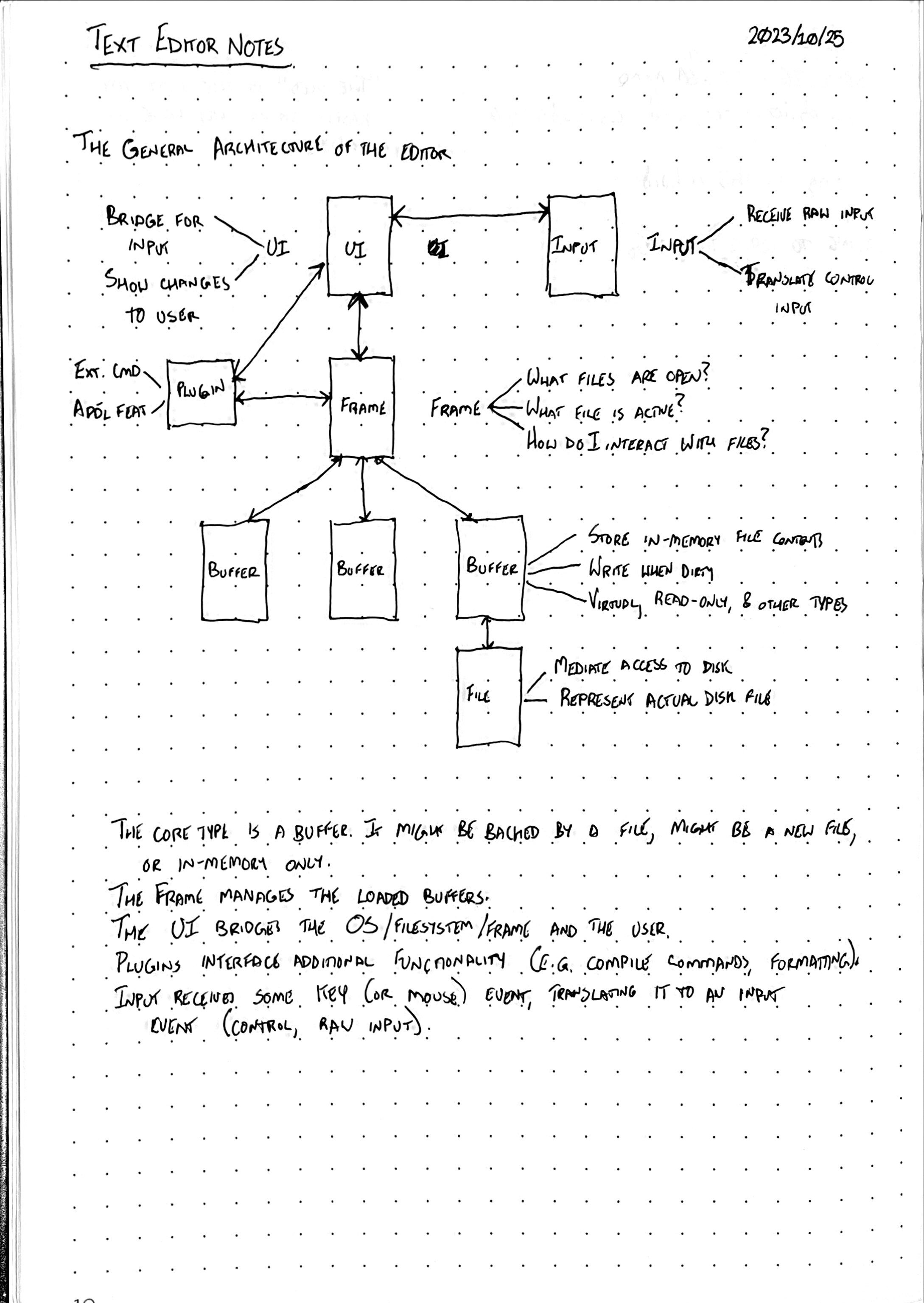
Over the past five years, I've collected a lot of notes, and refined
what I thought of as a text editor. I start rewriting ke in C++ a
bunch of times, and got so far as to load a Buffer in an imgui window.
That's the other thing, I wanted a GUI text editor. I'd settled on ImGui, maybe after listening to Casey Muratori talk about it, or maybe hacks with my friend Steve. Either way. that's the direction I settled in. I liked the visual style.
I'd spent a lot of time researching some of the data structures behind text editing, too. ke uses a simple append buffer:
struct abuf {
    char    *buf;
    size_t   size;
    size_t   cap;
};
My first passes at a C++ rewrite used std::vector<string>, but that
was little better than an append buffer. Ropes was the sexy thing, but
it didn't seem right. I looked at gap buffers, which seemed a better
choice than append buffers, and straightforward. Piece tables, though,
would make integrating an undo system easier (and I had designed one of
those out, as well). Generally, I'd come up with a few core components:
-
A
TextBuffer(which I usually callAppendBuffer, after the original data structure I used). -
A
Buffer, which is the abstraction for "the thing you are editing right now". -
The
Editor, which is the global editor state. This is inevitably a singleton, because I'm not writing multiple editors. -
The
FrontEnd, which is comprised of two main pieces: -
The
Rendereris responsible for renderingBuffers. - The
InputHandleris responsible for receiving key presses.
This, then, is the core of The Editor. There are challenges here still, such as the fact that I still don't have UTF-8 support working. This kind of irks me, because I love using additional characters such as eth and thorn.
The current editor has a few other components: a FontRegistry and
ThemeRegistry for the GUI, a HighlightEngine and a HighlighterRegistry,
for example. There's a lot you can do, and I still have room to go (I'm
working on LSP support, too).
All this to say is that I have a pretty clear idea of what I want, but the problem is I haven't had a ton of time (or inclination) to tinker with computers outside of work.
That's changed, recently though.
I've been consistently disappointed with the quality of engineers here, and regularly have thisisfine.jpg meetings with the ones who are good. I have a whole soap box about this, but we have engineers busy constructing Dyston spheres of bureaucratic bullshit, engineers who are exec'ing into Kubernetes pods who lack basic Linux command line skills, a complete failure of basic problem solving, etc. Soap box, stepping off.
The end result is that for the past month, often on the weekends, I've been on all day customer support calls, I have to generally be paying attention, even though my attention isn't generally required.
Our work laptop settings are the most pathologically hostile I've ever encountered, so I cannot do anything particuarly useful on mine during these calls. I can, however, have my personal laptop open next to me. Enter Jetbrains. I pay for their "All Tools" package with the "AI REAL ULTIMATE POWER" subscription, which comes with Junie, their AI coding agent.
Now, I've used AI in the past, but in a more "vibe coding" approach. I implemented some stuff in goutils; the generated code is not great, but it mostly works---I spent a buch of time cleaning it up. However, I thought in this case, I know exactly what I want, and so now I can try telling the agent to do this, exactly.
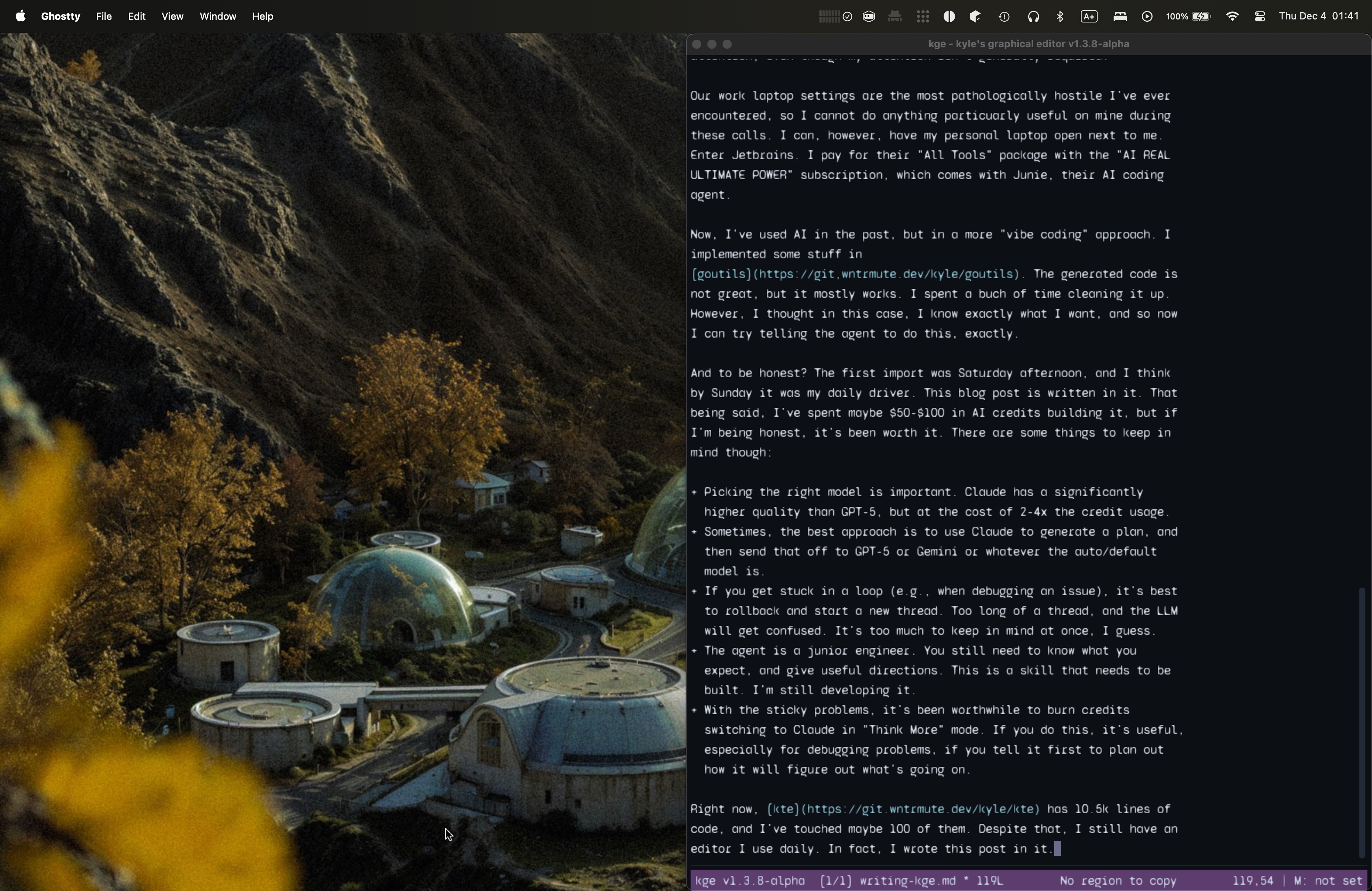
And to be honest? The first import was Saturday afternoon, and I think by Sunday it was my daily driver. This blog post is written in it. That being said, I've spent maybe 50-100 dollars in AI credits building it, but if I'm being honest, it's been worth it. There are some things to keep in mind though:
- Picking the right model is important. Claude has a significantly higher quality than GPT-5, but at the cost of 2-4x the credit usage.
- Sometimes, the best approach is to use Claude to generate a plan, and then send that off to GPT-5 or Gemini or whatever the auto/default model is.
- If you get stuck in a loop (e.g., when debugging an issue), it's best to rollback and start a new thread. Too long of a thread, and the LLM will get confused. It's too much to keep in mind at once, I guess.
- The agent is a junior engineer. You still need to know what you expect, and give useful directions. This is a skill that needs to be built. I'm still developing it.
- With the sticky problems, it's been worthwhile to burn credits switching to Claude in "Think More" mode. If you do this, it's useful, especially for debugging problems, if you tell it first to plan out how it will figure out what's going on.
Right now, kte has 10.5k lines of code, and I've touched maybe 100 of them. Despite that, I still have an editor I use daily. In fact, I wrote this post in it.
I used to be an AI hater, but now I just see it as a tool in the toolbox. Like everything computer, it is a mistake, but might as well leverage it where it works for now.